The Liene PixCut S1 combines color photo printing and sticker cutting in a single device, with a smartphone app for editing and sending projects over Bluetooth.
This Liene PixCut S1 Color Sticker Printer & Cutting Machine review looks at what that all-in-one workflow offers and where its creative focus may not fit every printing routine.
Liene PixCut Review Summary
The quick verdict
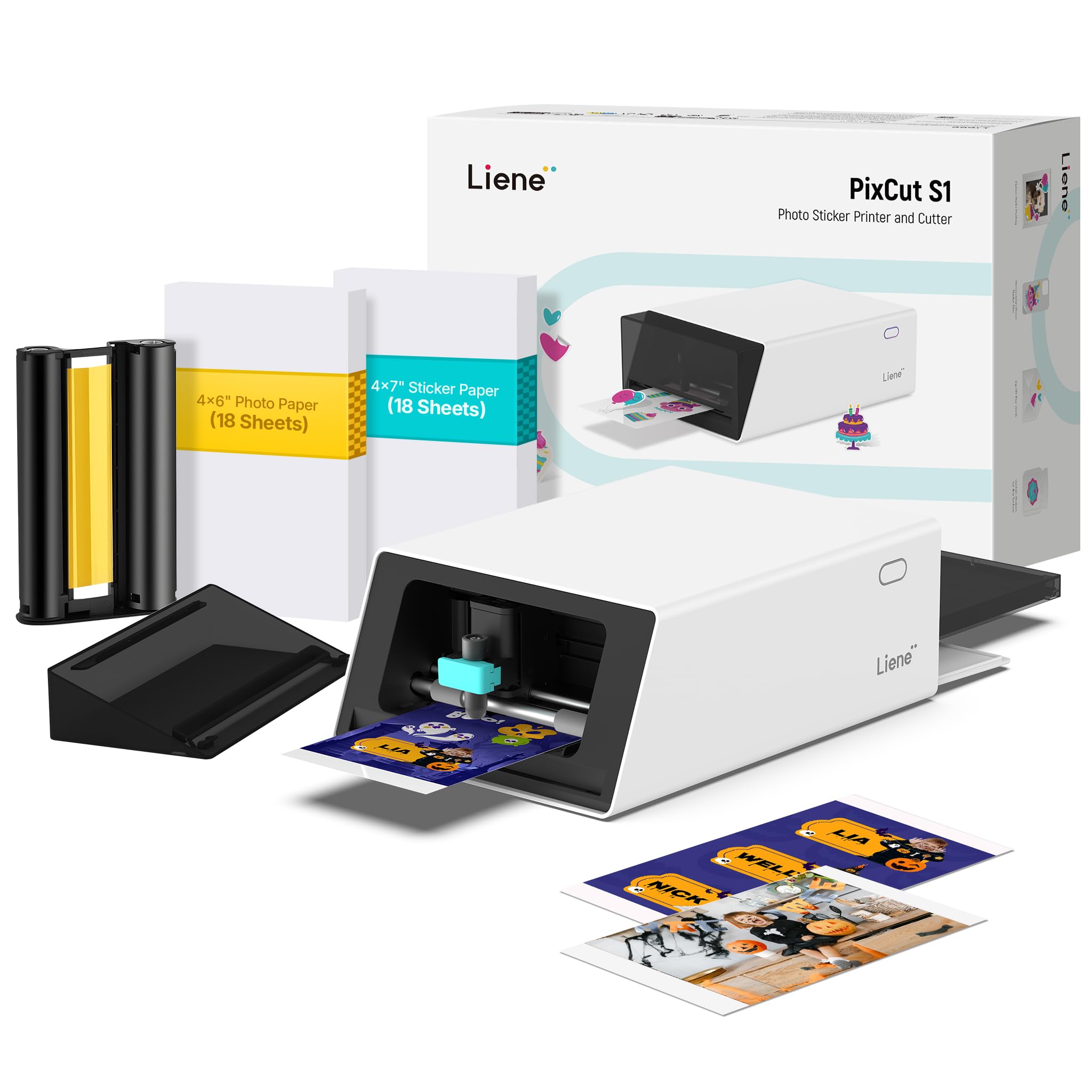
700+ ratings
Read Amazon ReviewsLiene PixCut S1
A good fit for crafters and families who want to turn phone photos and designs into printed, cut stickers with one compact machine.
- Combines thermal dye-sublimation color printing and die cutting in one machine.
- Prints at 300 dpi and supports 16.7 million colors.
- AI image extraction can recognize and isolate subjects from photos for cutting.
- Connects to a smartphone via Bluetooth for editing, printing, and cutting through the Liene app.

Pros
- Combines image printing and outline cutting in a single workflow.
- AI subject extraction can reduce the manual work involved in preparing photo stickers.
Consider before buying
- The described use centers on stickers, labels, badges, decals, and photo projects rather than general-purpose document printing.
- Design and job setup rely on the Liene app; buyers should check that its supported device and operating system fit their routine.
Read the full review summary
The PixCut S1 is built around a straightforward idea: create or edit an image in the Liene app, print it, then let the machine cut around the design.
Its thermal dye-sublimation system produces color output at 300 dpi, while AI image extraction can identify a subject in a photo for a sticker-ready outline.
That combination should appeal to people making personalized labels, photo stickers, small gifts, or craft projects without wanting separate printing and cutting equipment.
The app extends the appeal with AI art styles, templates, and a library of images, fonts, and design elements.
The device is compact for a combined printer and cutter, though it still weighs 6.2 pounds and occupies a dedicated spot.
Consider it when the main goal is creative sticker making and you are comfortable doing much of the setup and design through an app. For routine document printing or broad format flexibility, its described strengths point elsewhere.
The buying factors
Liene PixCut Scorecard
Editorial scores reflect listed features and buyer fit; they are not laboratory measurements or customer ratings.
Print and cut workflow
Printing and cutting are combined in one device, and projects can be sent from a phone over Bluetooth.
Creative tools
AI subject extraction, AI art styles, templates, and design elements support varied sticker projects.
Color detail
The listed 300 dpi dye-sublimation output and 16.7 million colors suit image-led crafts.
Sticker finish
Four-layer dye-sublimation printing laminates the paper during printing; the description identifies stickers as waterproof and scratch-resistant.
Device footprint
At 11 by 7.7 by 4.1 inches, it is relatively compact for a machine that prints and cuts.
Design flexibility
The app supports multiple project types, but the workflow is centered on Liene's software and mobile-connected creative use.
Key Features and Specifications of Liene PixCut
- Combines thermal dye-sublimation color printing and die cutting in one machine.
- Prints at 300 dpi and supports 16.7 million colors.
- AI image extraction can recognize and isolate subjects from photos for cutting.
- Connects to a smartphone via Bluetooth for editing, printing, and cutting through the Liene app.
- The app includes AI art styles, more than 50,000 free images, fonts, and elements, and over 10,000 templates.
- Four-layer dye-sublimation printing laminates the photo paper during printing; stickers are described as waterproof and scratch-resistant.
- Measures 11 by 7.7 by 4.1 inches and weighs 6.2 pounds.
Pros and Cons of Liene PixCut
Pros
- Combines image printing and outline cutting in a single workflow.
- AI subject extraction can reduce the manual work involved in preparing photo stickers.
- Color photo output and an integrated laminate layer are tailored to durable-looking craft stickers.
- The app's templates and design resources offer multiple starting points for personalized projects.
Consider before buying
- The described use centers on stickers, labels, badges, decals, and photo projects rather than general-purpose document printing.
- Design and job setup rely on the Liene app; buyers should check that its supported device and operating system fit their routine.
- The 6.2-pound unit needs a stable place to sit, even though its footprint is compact.
Who Should Buy Liene PixCut?
Good fit
Choose the PixCut S1 if you regularly make personalized stickers from photos or artwork and want the print and cut steps together.
AI subject extraction is especially relevant when you want to turn a person, pet, or object in a photo into a cutout design without manually tracing every edge.
The 300 dpi color output, app templates, and multiple supported craft formats make it suitable for family projects, journaling, custom labels, and small gifts.
It also makes sense for a shared creative space where several people may want to make different designs from phones or tablets.
Before buying, consider how often you will use the app-based workflow and whether the machine can stay set up near your craft supplies.
Its footprint and weight are manageable for a dedicated desk, but it is not a pocket-sized tool to put away after every project.
Who should skip it
Skip it if your primary need is a conventional printer for schoolwork, reports, or frequent text documents. The product's described capabilities are centered on photo printing and custom craft items.
Look elsewhere if your projects require a cutting workflow or material support beyond the sticker and paper projects covered here.
Check that the app and the project types you plan to make match your devices and routine before committing.
How the Liene PixCut S1 Fits a Sticker-Making Setup
A single creative workflow
The all-in-one design is the central convenience: edit a project in the app, send it by Bluetooth, and have the same device print and cut it.
That removes the need to move a printed sheet between separate printer and cutter setups. The stated two-minute creation time is a project claim, so treat actual turnaround as dependent on the design and workflow.
Photo detail and finish
Dye-sublimation printing at 300 dpi is aimed at colorful, detailed photo output rather than plain monochrome labels. The four-layer process laminates the paper during printing, and the described waterproof, scratch-resistant stickers suit items that may see everyday handling.
These design features make the machine particularly relevant when the finish matters as much as the cut shape.
AI tools and app dependence
AI image extraction can identify a photo subject, while the AI Lab offers stylized transformations and the template library provides ready-made starting points. This can make casual, personalized projects more approachable.
Buyers should still consider whether they enjoy designing in an app and whether their device works with the Liene software.
Space and project scope
The 11-by-7.7-by-4.1-inch body is small enough for a craft desk, though the 6.2-pound weight makes it more of a countertop appliance than a portable printer.
Its listed uses include labels, decals, badges, phone skins, ID cards, and photo stickers. That range is useful for creative projects, but the described feature set does not establish it as a general document printer.
Alternatives to Liene PixCut
No alternative model is recommended here. Compare the design and features that matter to your routine before choosing another option.
Is Liene PixCut Worth It?
The Liene PixCut S1 is worth considering if you want one app-connected machine for printing and cutting colorful custom stickers.
Its AI subject extraction, 300 dpi output, laminated print process, and broad set of creative templates make a coherent package for photo crafts, labels, and personalized gifts.
Buy it for that focused creative workflow, and first confirm that the Liene app fits your devices and the projects you plan to make.
If you chiefly need ordinary document printing or a different cutting workflow, its sticker-centered design is unlikely to be the best match.
Your review at a glance
700+ ratings
Read Amazon ReviewsLiene PixCut S1
A good fit for crafters and families who want to turn phone photos and designs into printed, cut stickers with one compact machine.
- Combines thermal dye-sublimation color printing and die cutting in one machine.
- Prints at 300 dpi and supports 16.7 million colors.
- AI image extraction can recognize and isolate subjects from photos for cutting.
- Connects to a smartphone via Bluetooth for editing, printing, and cutting through the Liene app.